


For agents with knowledge search, you can enable a check that the answer is supported by the sources found. The answer then appears once the check is complete.
What if we could watch AI at work?
When AI results become traceable
Section titled “When AI results become traceable”The more AI agents are built into processes, the more transparency matters: Which source did the agent use? Which system did it query, and with what data? Which agents are used how often, and on which channel?
LIVOI answers these questions on three levels: in the individual chat, in the inbox and in the dashboard.
Three levels of traceability
- LIVOI tool
- Result
- Channel
- Model
- 1LIVOI tool In the chat
Every tool call with inputs, result and source.
- 2Result In the answer
Optional answer validation against the sources found.
- 3Channel In the inbox
Labels, channel and agent per conversation; the team can take over.
- 4Model In the dashboard
Message trends, channel shares, activity and tokens per agent.
In the chat: look over the agent’s shoulder
Section titled “In the chat: look over the agent’s shoulder”The chat shows which tools an agent called. For knowledge search, the files and text passages found are visible and can be opened directly. For custom tools, the inputs sent are shown as well, not just the target system’s response.
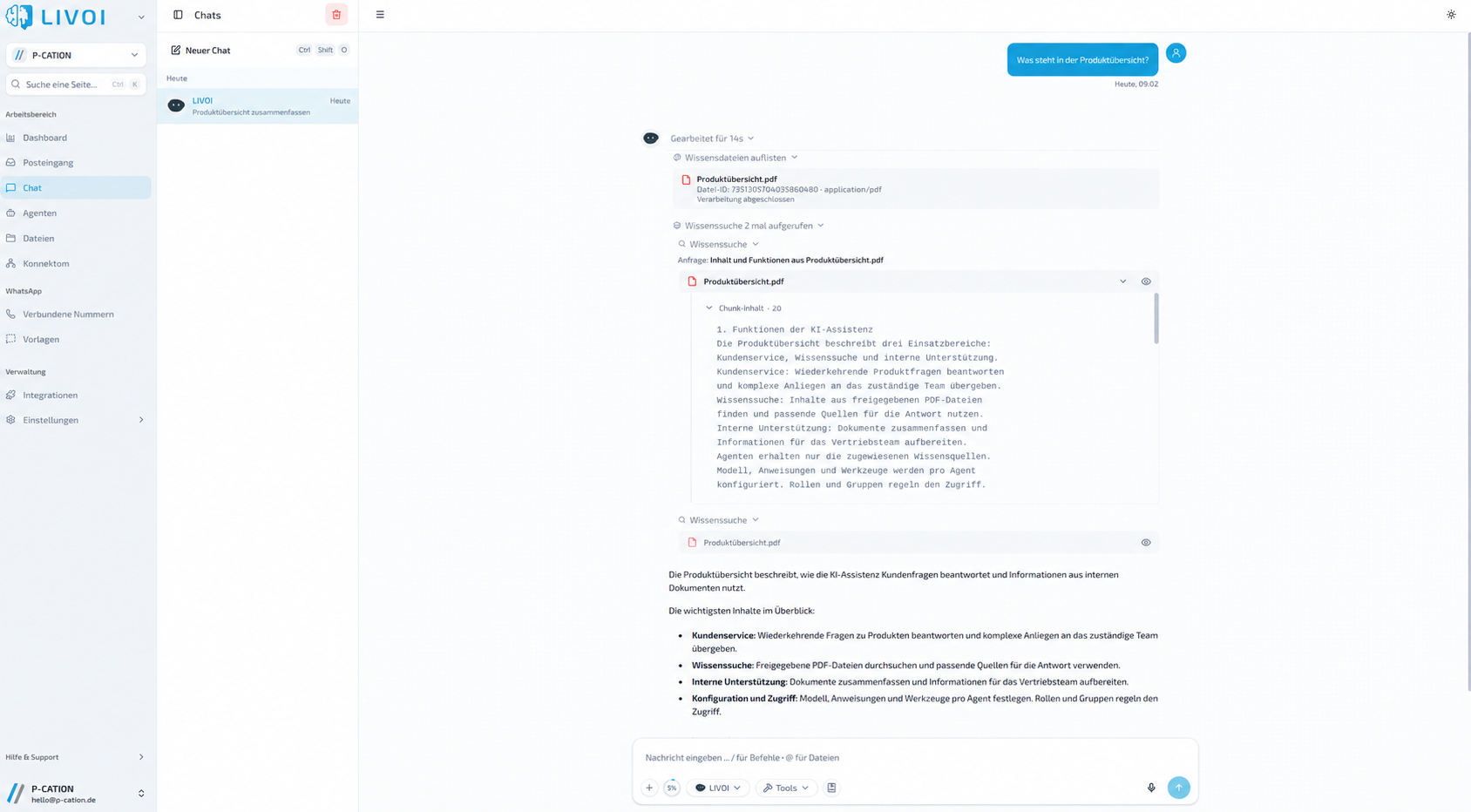
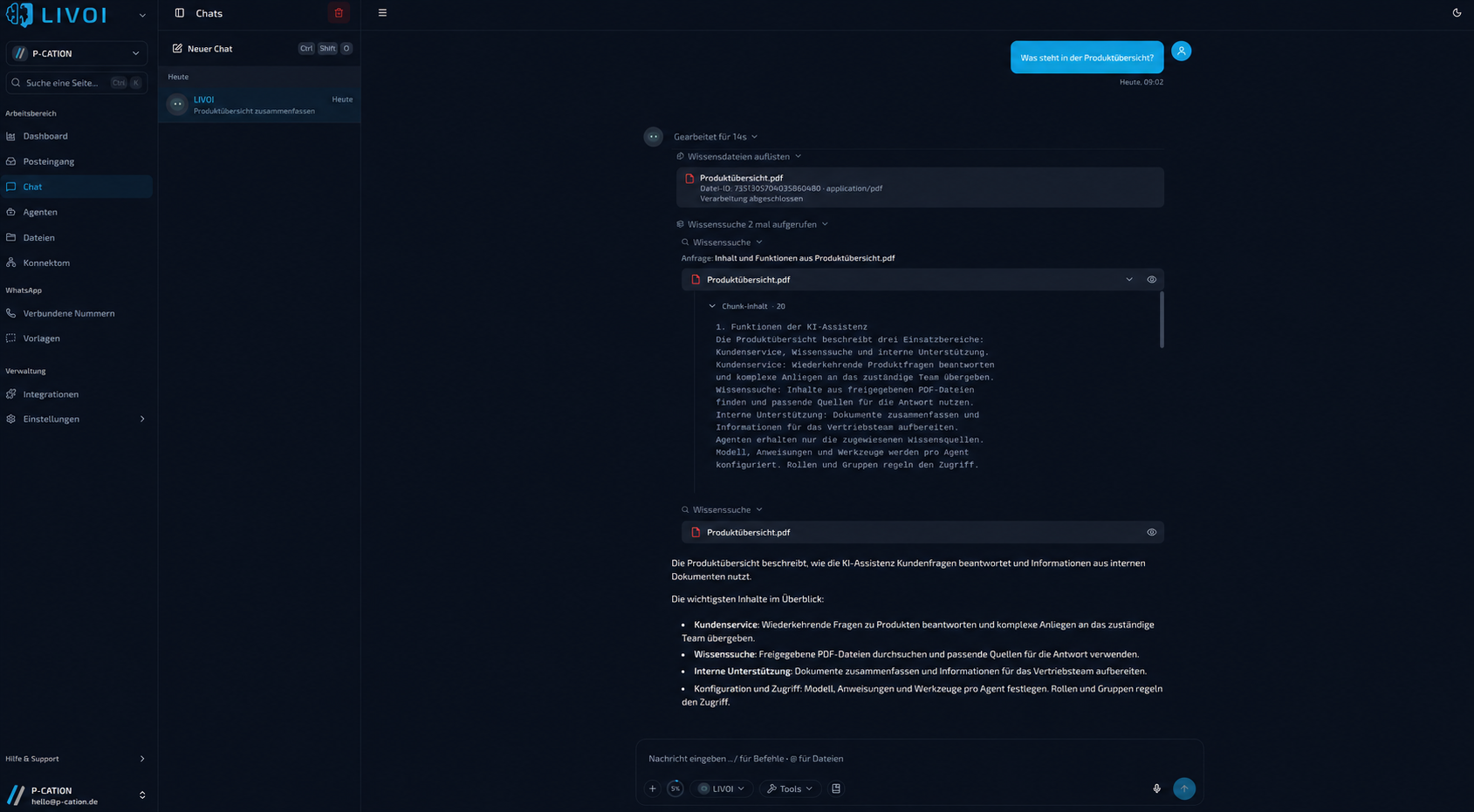
With an output schema, agents return results as a table with fixed fields. If details are missing, the agent asks for them.
In the inbox: every conversation at a glance
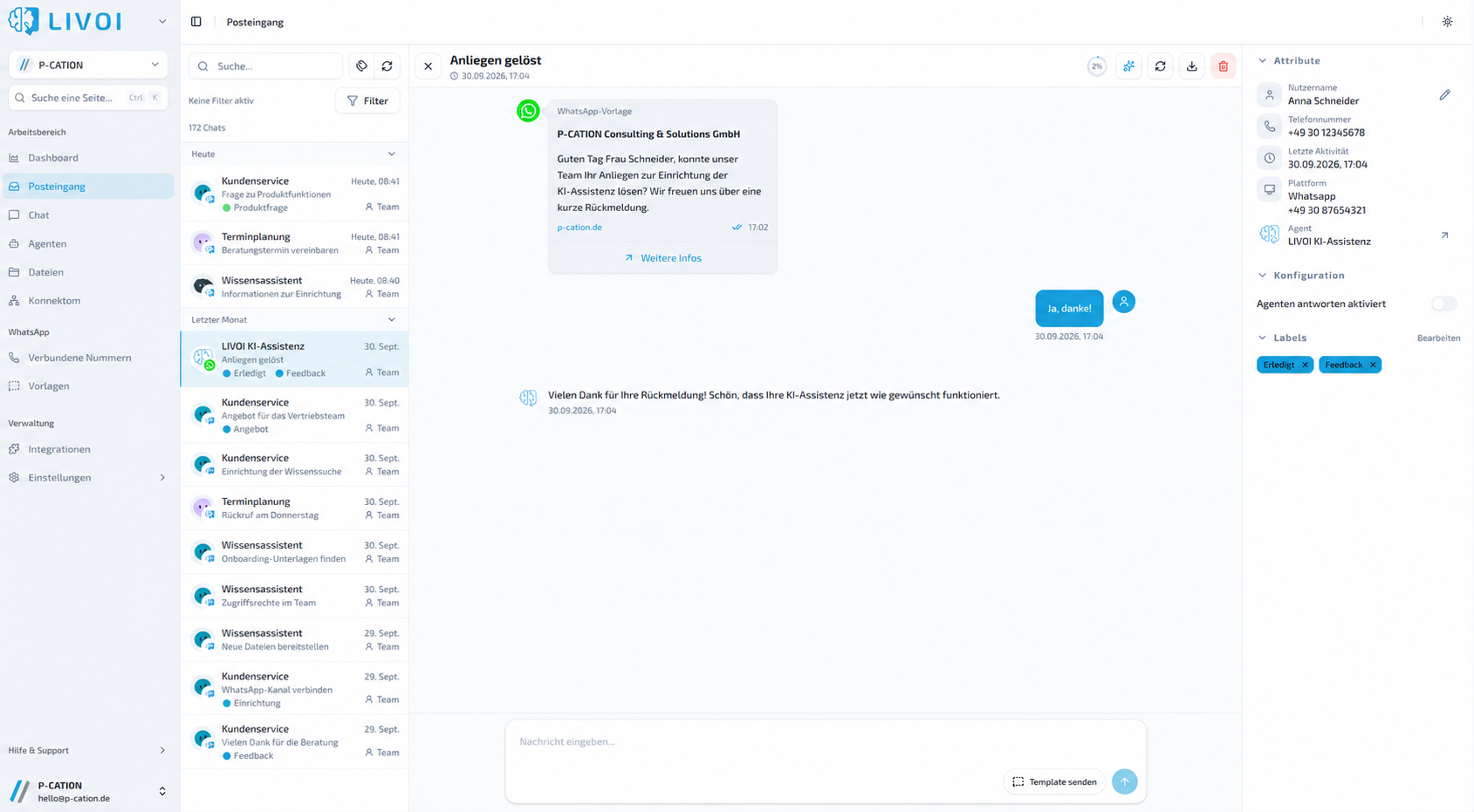
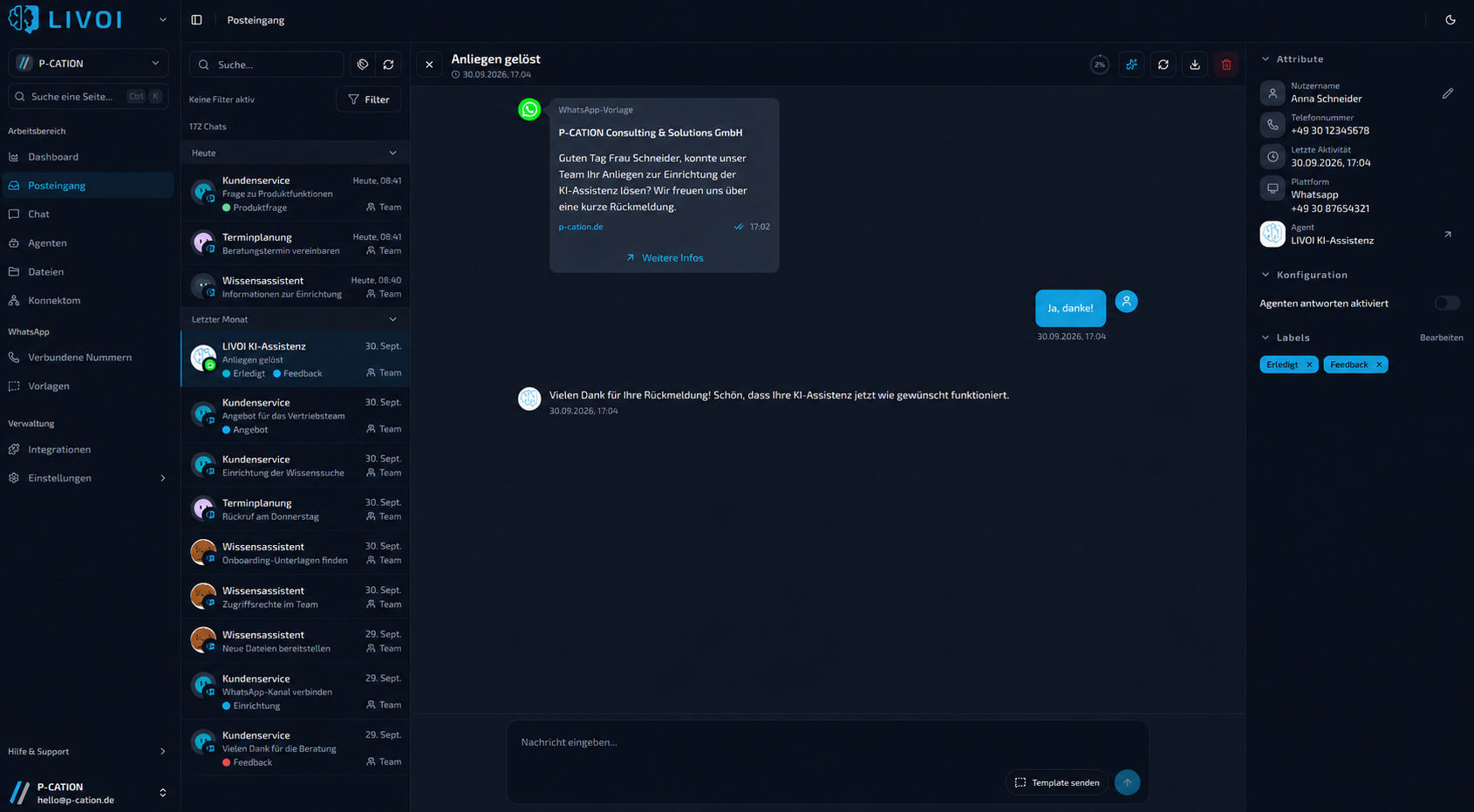
Section titled “In the inbox: every conversation at a glance”All conversations from LIVOI Chat, WhatsApp and the LIVOI API come together in the inbox. Agents assign suitable labels such as “Quote”, “Feedback” or “Done” with every message. Filters show what needs attention. When needed, the team turns off automatic replies for a chat and takes over.
In the dashboard: usage and trends
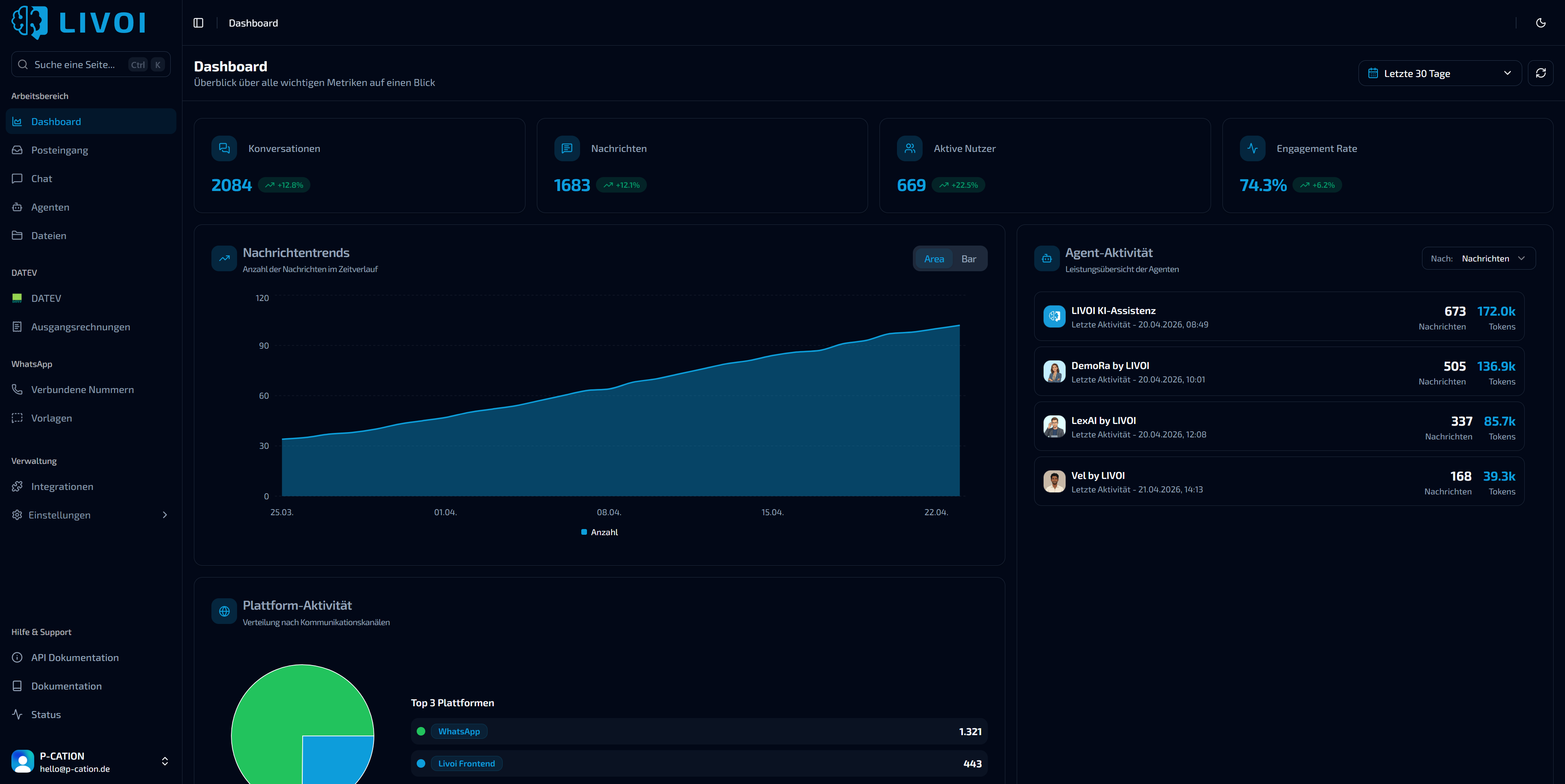
Section titled “In the dashboard: usage and trends”The dashboard shows conversations, messages and active users for the selected period. Message trends can be compared with the previous period and copied as a table. Agent activity shows messages and token usage per agent; platform activity shows the distribution across channels.

What changes day to day
Section titled “What changes day to day”Before
- AI as a black box: unclear where an answer came from
- Errors are only noticed by customers
- No overview of which agents and channels are used
After with LIVOI
- Sources and tool calls visible in every conversation
- Labels and filters show where the team should step in
- Usage and costs per agent and channel in the dashboard
Benefits at a glance
Section titled “Benefits at a glance”- Traceable answers with sources and logged tool calls
- Optional answer validation for high-stakes areas
- Staff can take over conversations when it matters
- A basis for optimization: which agents, which channels, how much usage