All platform updates in chronological order, including screenshots and technical improvements.
LIVOI platform update
Stored files in chat, animated avatars, better previews, and Italian and Polish support.
Key improvements since the end of July, including refinements through 15 September:
Use files directly in chat: select stored files from the attachment menu or with @. File and agent search has improved.
Clearer chats: animated agent avatars, compact tool calls, and more reliable conversation histories. Agent changes synchronize automatically.
Better file previews: view HTML attachments directly, open large CSV files more smoothly, and track file processing in real time.
Easier navigation: open submenus with the sidebar collapsed and switch tenants without a full reload. Charts adapt better to light and dark modes.
New languages: Italian and Polish are now available.
Further improvements: more stable uploads, calendar editing, and sign-in, plus improved tool configuration and error messages.
LIVOI platform update
Real-time synchronization, editable tool descriptions in expert mode, a bilingual dashboard, and everyday improvements.
Faster synchronization. Clearer origins. Two languages.
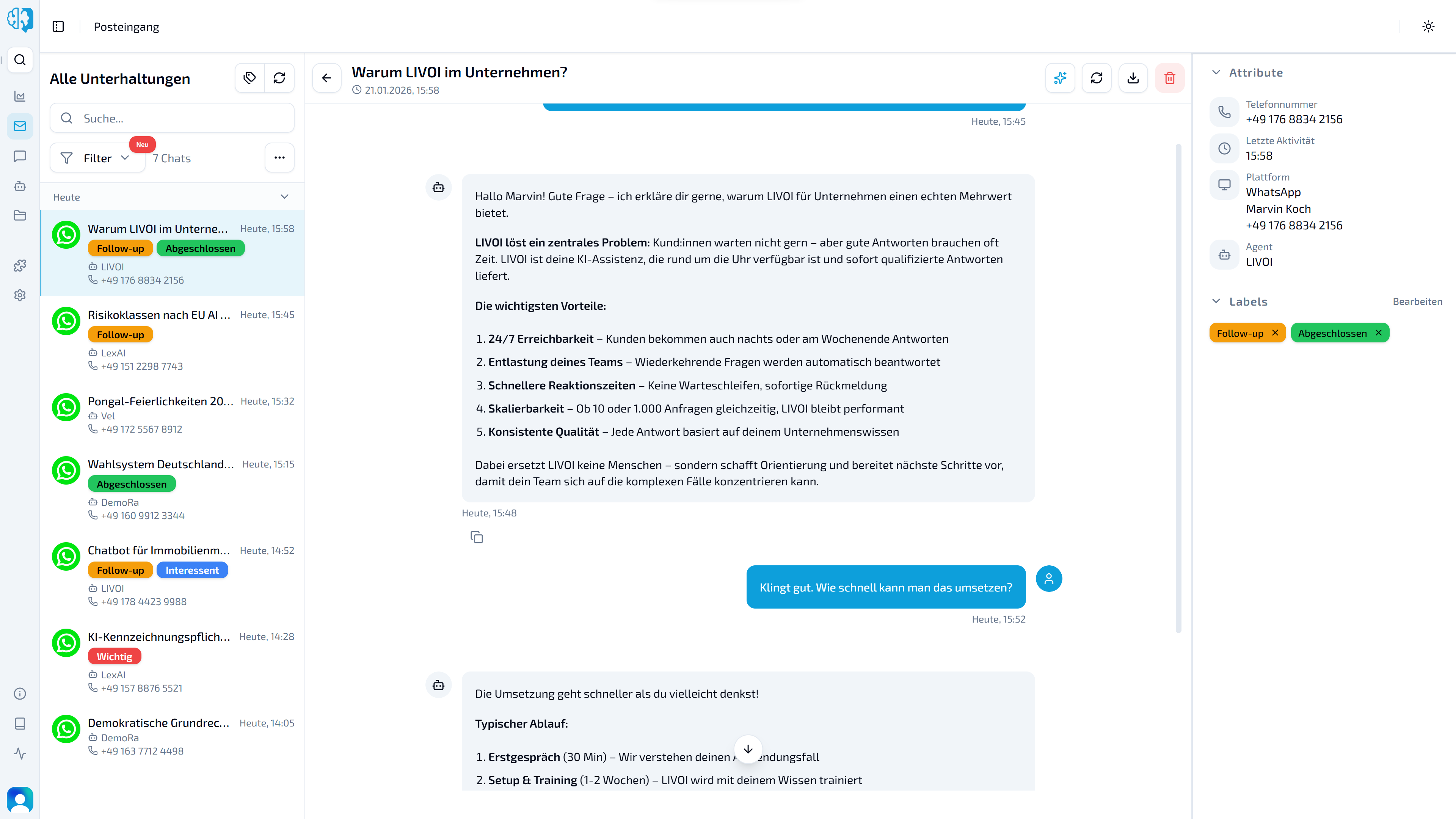
The inbox and chat increasingly update in real time, dashboard and API chats are clearly distinguished, and the interface is now available in German and English.
Tool calls are more transparent, and expert mode lets you adjust tool descriptions to guide agent behavior. Label assignment is more reliable, and WhatsApp QR codes are available in the dashboard. The new connectome offers an early view of LIVOI’s connected future.
Real-time inbox and chat
Chat lists, histories, and responses in progress increasingly synchronize in real time. New messages, changes, and response status appear sooner without manually reloading. WebSocket support is gradually expanding to other platform areas.
Distinguish dashboard and API chats
New chats started through the LIVOI dashboard at app.livoi.de receive the origin “LIVOI Chat”, instead of being incorrectly classified as API chats. Existing chats remain unchanged. The “API” filter remains and continues to show chats actually created through the LIVOI API.
Dashboard in German and English
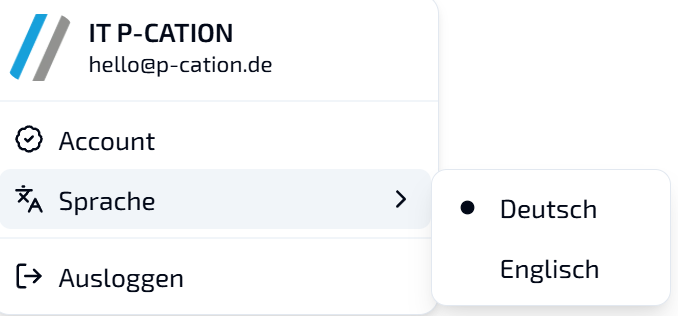
Switch the dashboard language between German and English in the profile menu at the bottom left.
Select German or English directly in the profile menu.
Clearer tool calls
Agent tool use is easier to follow in the chat. Call data and results are displayed separately. Custom tools now also show the supplied input or request data, rather than only the response.
Edit tool descriptions in expert mode
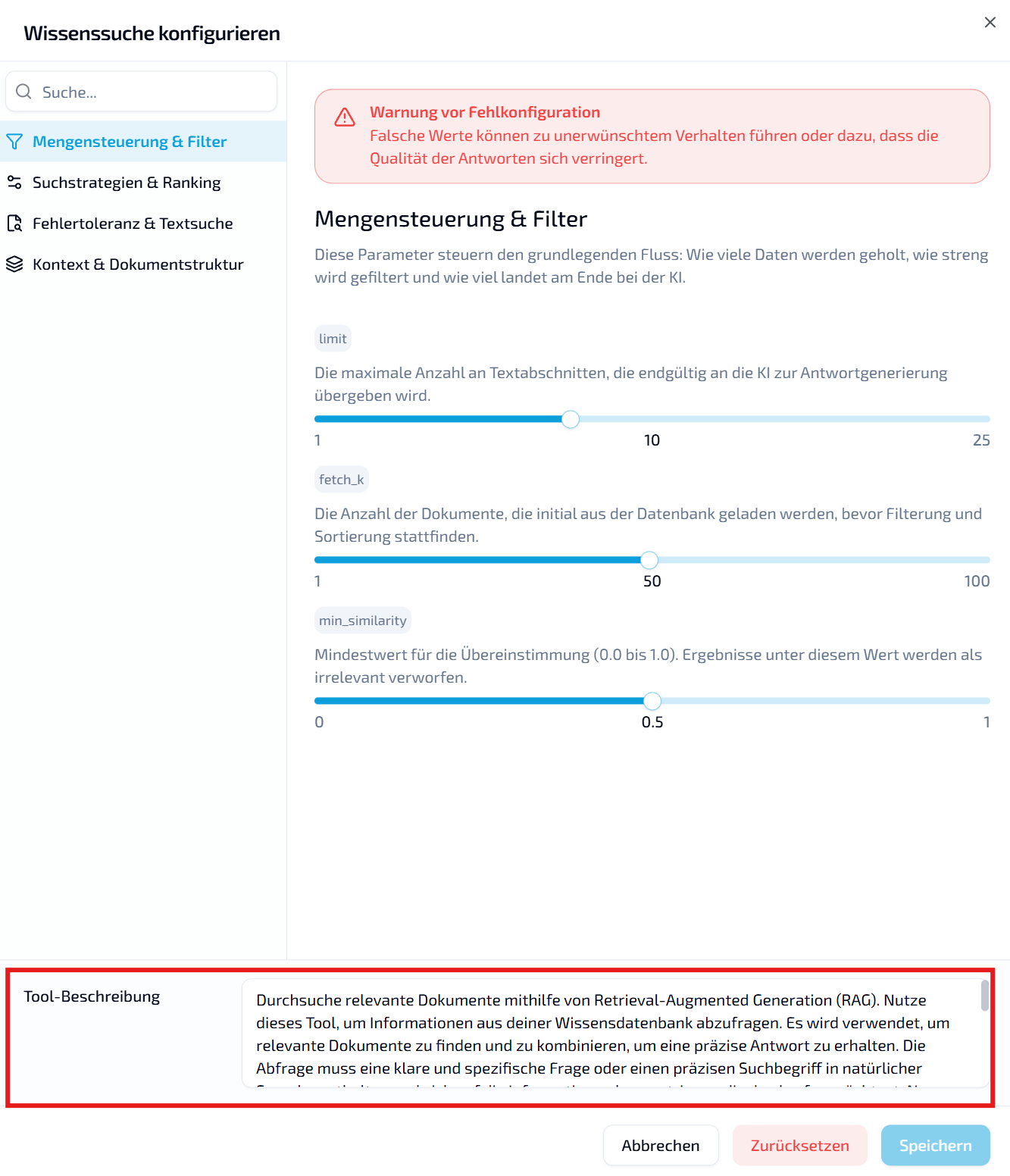
Edit a tool’s description directly in the agent configuration. The description tells the agent what the tool is for and when to use it. This is particularly useful when an agent does not reliably use an existing tool: explicitly describe the tasks or requests that should trigger it.
Adapt the tool description to its intended use in expert mode.
More reliable automatic labels
Agents now check for suitable chat labels on every message, rather than periodically. The required system tools are included with every agent and currently cannot be removed or edited.
WhatsApp QR codes in the dashboard
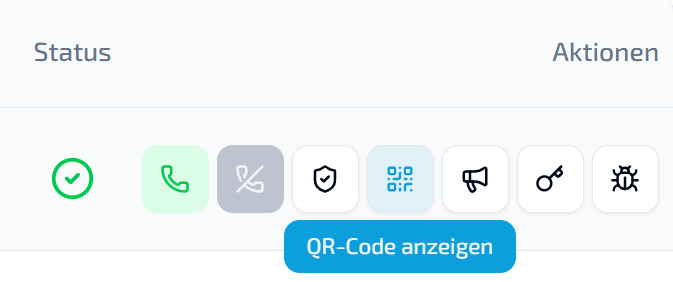
Display and use QR codes for connected WhatsApp numbers directly in LIVOI.
Find the QR code in the actions for a connected WhatsApp number.
A first look at the LIVOI connectome
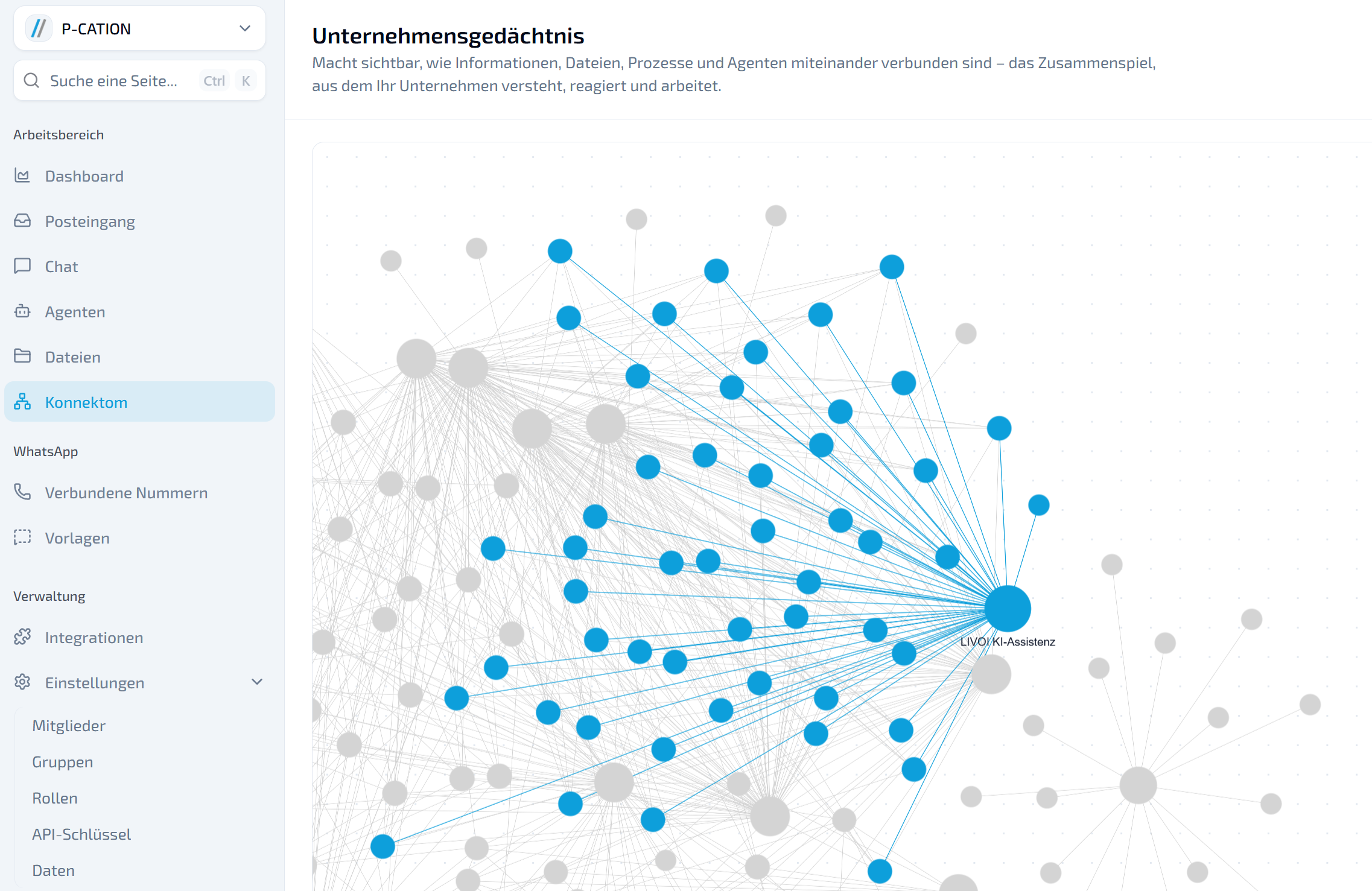
The new connectome illustrates possible relationships between agents and knowledge. The current view is a demo viewer offering an early look at LIVOI’s future development.
The demo viewer visualizes relationships between agents, information, and knowledge.
Technical improvements
Expanded real-time communication: chat lists, histories, changes, and streaming status synchronize through WebSockets.
Modernized API structure: most REST endpoints are registered, validated, and documented through a shared technical structure.
Consistent agent configuration: models, instructions, and runtime settings share a configuration foundation. Tools use a consistent runtime and cache structure.
Reworked chat history and file storage: message content, tool calls, attachments, and usage data are processed more consistently and structurally. Files and attachments share a storage foundation.
Optimized authentication: JWT authentication needs fewer database queries. WebSocket connections can authenticate securely with bearer tokens or existing JWT sessions.
Improved platform stability: database connections are limited according to the system process. Database session lifetimes and asynchronous background and worker processes have also been optimized.
LIVOI platform update
Chat file uploads, file processing status, and clearer RBAC management with groups and roles.
Use files more easily. Manage access more clearly.
Files can now be uploaded in the chat, and processing for the RAG pipeline is more visible. LIVOI also introduces role-based access control: roles and groups help organize access transparently.
After uploads, a compact status window shows whether processing succeeded or individual files encountered errors. Processing includes steps that prepare files for the RAG pipeline, such as chunking and embedding.
The status window shows whether files have finished processing or need attention.
Upload files directly in the chat
Attach and upload files in the LIVOI frontend chat to bring documents into ongoing conversations without switching context.
Add files directly from the chat.
Groups in RBAC
Groups collect users and can receive their own roles and permissions in the RBAC system. Represent team structures centrally instead of maintaining access separately for each person. Users added to a group receive its permissions within the relevant tenant context.
Groups simplify permission management for multiple users.
Roles in RBAC
Roles combine specific permissions and define which actions are allowed, such as reading, creating, editing, or deleting resources. Assign roles to users or groups to separate administration, operational use, and restricted access.
Roles define which permissions users or groups receive.
RBAC at a glance
RBAC evaluates permissions in the tenant context and can limit access to specific resources. Resource grants selectively share individual items without expanding global roles. API keys can also have their own permissions, constrained by their owner’s allowed rights.
LIVOI platform update
Prompt library, HTML chat rendering, inbox WhatsApp templates, and custom API integrations for agents.
Reuse your work. Format answers flexibly. Connect your APIs.
Prompts can now be reused in an organized library, chat responses can render HTML, WhatsApp templates are available in the inbox, and custom API integrations for agents can be created and edited in the frontend.
Prompt library in the chat
The chat window at /chat now has a prompt library at the bottom of the input area, keeping recurring prompts close at hand.
Create folders to organize prompts.
Prepare prompts with variables for later reuse.
Use recurring inputs faster and more consistently.
The prompt library is available directly in the chat, with folders, variables, and reusable prompts.
Create and edit custom API integrations for agents
Create and edit custom tools under Agents → Tools in the frontend. These interfaces let LIVOI use external systems and APIs, for example to retrieve CRM data, start internal processes, or include business application data in an answer.
Provide individual functions directly as agent tools and manage them more easily. Enable expert mode under Agent → Settings to edit them.
Create and adjust custom API integrations in expert mode directly in the frontend.
HTML rendering in chat
The LIVOI frontend now supports HTML in chat responses, including tables, formatted sections, and embedded visual elements.
Clearer, more readable responses.
Complex content displayed within the conversation.
Fewer switches to external views for structured output.
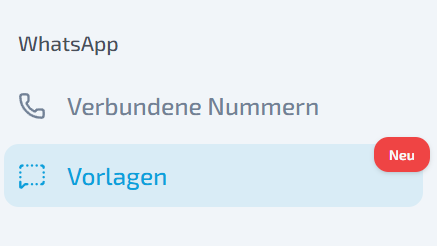
Send WhatsApp templates from the inbox
Send templates directly to users from an inbox conversation.
Prepared templates available in context.
Faster sending of standardized messages.
Less switching between inbox and template management.
Technical changes
gemini-embedding-2 support: the model is technically supported; use currently requires coordination with P-CATION.
Expanded RAG tool logs: additional information when using gemini-embedding-2.
Updated error messages: detailed errors now appear in dialogs instead of toast notifications.
LIVOI platform update
Profile pictures, file previews, and stability improvements for LIVOI.
This release improves two everyday tasks: managing agents visually and reviewing files directly in LIVOI. Technical improvements also make recurring workflows more reliable.
Custom agent profile pictures
Agents can now have profile pictures, making them easier to distinguish in lists, detail views, and workflows.
Upload an image or choose one from the gallery.
Adjust the crop when setting the image.
Reset or delete existing pictures.
Select, crop, zoom, and save a profile picture directly to an agent.
View files directly in LIVOI
Open files from the file list without downloading them or finding them in another application.
PDFs appear in a side preview.
Text and Markdown files can also be read directly.
The preview stays within file management, making uploads, agent assignments, and downloads easier to review.
Preview files without leaving your workspace.
Clearer, more visual agent management
Set and crop profile pictures from uploads or the gallery.
Changes are saved to the agent immediately and displayed in the interface.
Review files without switching context
Open PDFs and text files directly in the platform.
The file list remains in the background, preserving your context.
Technical stability improvements
Further improvements to file previews, upload processing, and presigned URL access.
More robust, consistent background processes and tool configurations.
More stable uploads, file processing, and error handling.
Slash commands and additional chat details are now available directly in the platform.
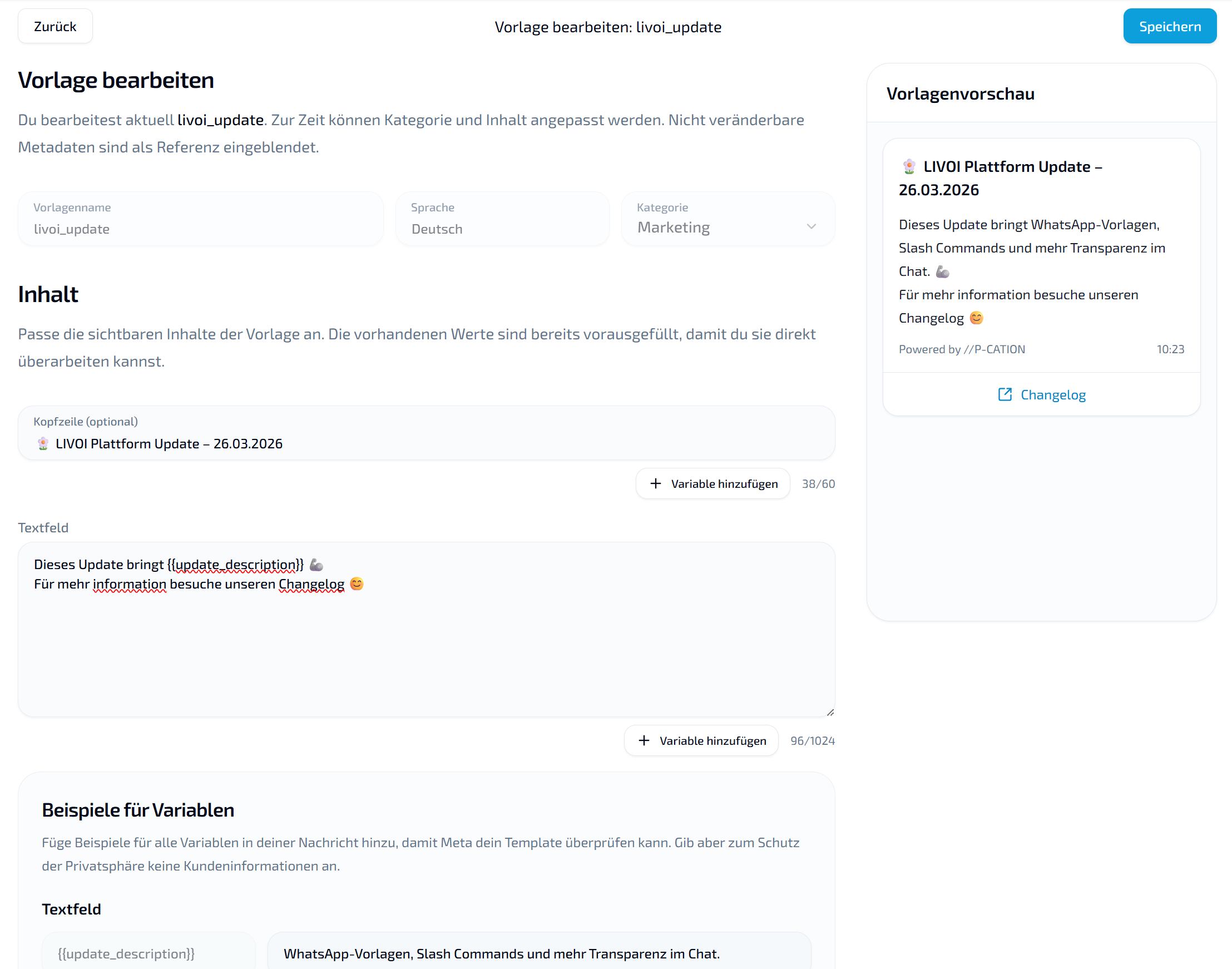
Create WhatsApp templates in LIVOI
Create templates for recurring WhatsApp communication directly in LIVOI without external tools or preparatory API steps.
Create and manage WhatsApp templates directly in the platform.
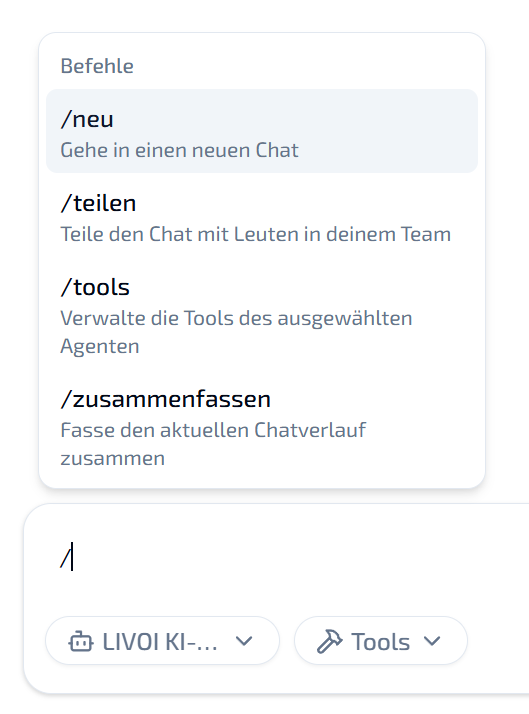
Slash commands for faster workflows
Start actions and enter information directly from your working context.
Trigger common actions with /.
Reach standardized inputs and workflows faster.
Shorter, more direct interactions in chats and agent workflows.
Open slash commands in the input field and use them within the chat context.
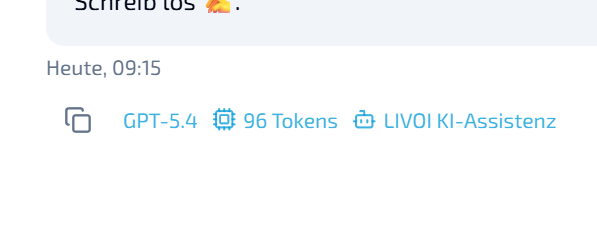
More information directly in the chat
Chats now display additional technical context, including model, agent, and token usage. This makes responses easier to trace and supports analysis, debugging, and quality assurance directly in the chat.
The new detail view shows the response source and token consumption.
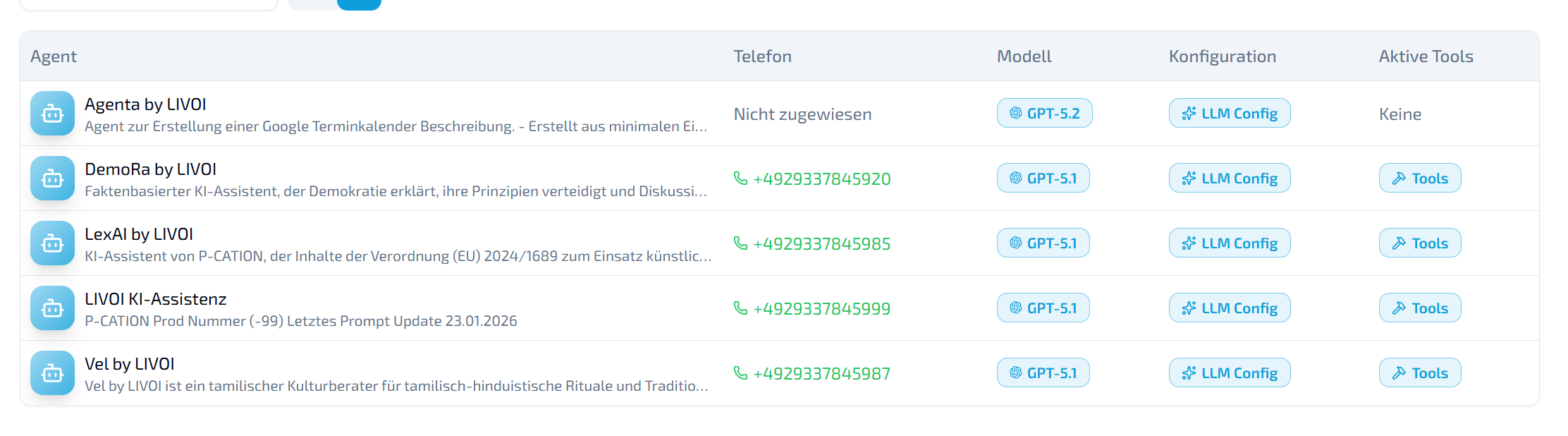
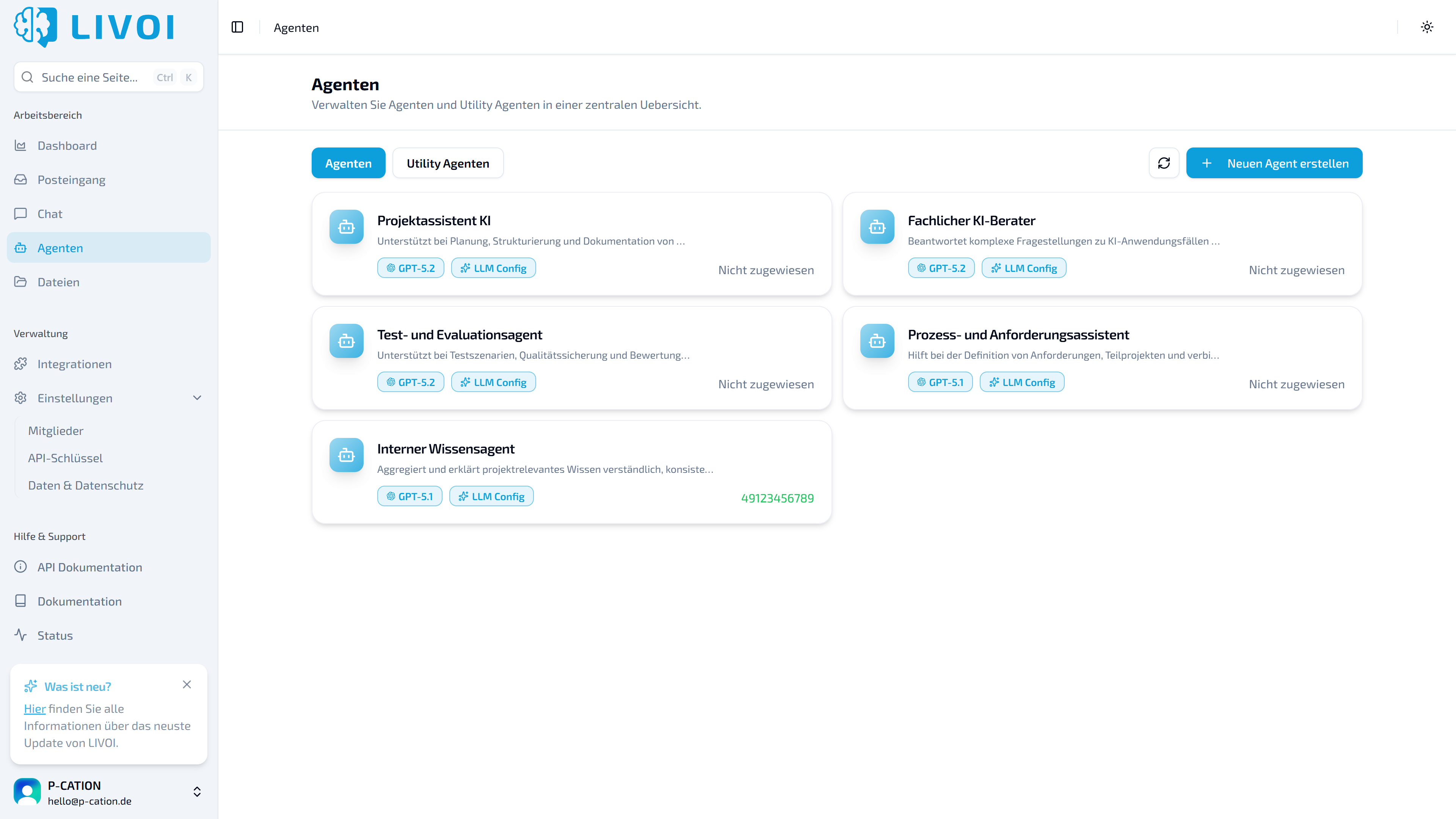
New agent list view
A compact list view makes larger collections of agents easier to manage and compare. Names and entries are quicker to scan than in the tile view.
A denser, easier-to-scan view of your agents.
Reorganized sidebar
Important areas are grouped more clearly and are easier to reach.
Expanded and faster Dynamic Query
Dynamic Query has received major functional and technical improvements:
Bulk Dynamic Query: process multiple dynamic queries in one request.
Better performance: faster queries reduce waits for complex data retrieval.
Better scaling: a more robust foundation for data-intensive workflows and higher query volumes.
Expanded foundation for dynamic tools
Dynamic tool foundation: generate and validate input models from schemas at runtime.
Expanded tool execution: technical groundwork for dynamic HTTP requests and API key management.
Broader agent capabilities: new foundations for production tool and agent workflows.
LIVOI platform update
More stable chats, a faster inbox, and better controls on desktop and mobile.
More stability. More speed. Less friction.
This release focuses on the essentials: more stable chats, a faster inbox, and fewer usability obstacles. Technical improvements also provide a more robust basis for integrations and future features.
Improved chat
The chat responds more reliably and consistently.
Messages no longer reload or appear twice.
Audio input supports ogg, wav, and mpeg.
Improved mobile controls and shortcuts.
Responses automatically use the language of the latest input.
Simpler agent creation
The interface for creating and editing agents has been simplified for greater clarity and focus.
Improved navigation and settings
Deep links after sign-in: chat links return you directly to the correct conversation after authentication.
Updated /settings: maintain employees’ first and last names.
Correct name updates: changes are processed through the user endpoint.
Consistent API keys: clear ADMIN/ADMINISTRATOR labeling.
Search fixes: corrected agent and file search errors.
Integrations: added logos.
Performance, caching, and async processing
Standardized Redis cache reads, writes, and deletes.
Stabilized default cache logic.
Optimized Celery tasks and asynchronous processing.
Reduced sources of errors in transcription and data processing.
Query logic and data model
Further stabilized Dynamic Query subqueries, aliases, and aggregations.
Reworked column and path resolution.
Moved statement caching and logging to precompiled statements.
Improved user management updates, including correct handling of None and empty values.
Foundation for future features
Structural improvements to the data model and API processes lay the groundwork for more stable integrations, better multi-tenancy, and future extensions.
LIVOI platform update
A more focused inbox, new filters and labels, and utility agents.
This release turns the inbox into a precision tool with powerful filters, color-coded organization, and context menus that speed up your workflows.
Inbox: find what you need
We have expanded filtering and improved the layout to help you stay on top of high message volumes.
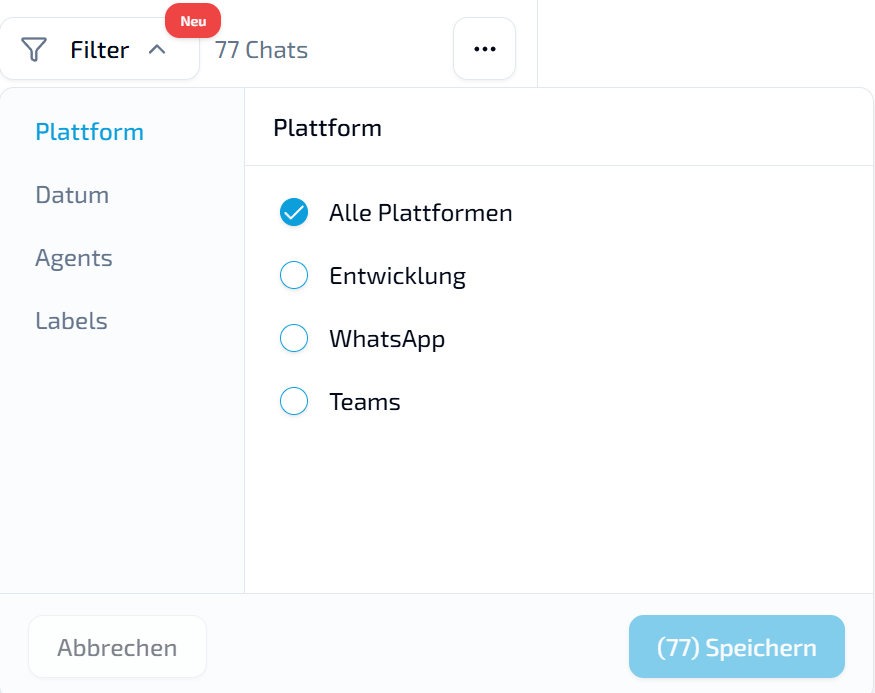
Custom time periods: alongside Today, Yesterday, and This week, choose Last month, This year, Last year, or define a custom range with the date picker.
Combined filters: narrow results by combining platform, date, agents, and labels.
WhatsApp identification: the WhatsApp display name now appears after the phone number in the chat list. It is also available under chat attributes in the right sidebar of an open conversation.
Labels: organized communication
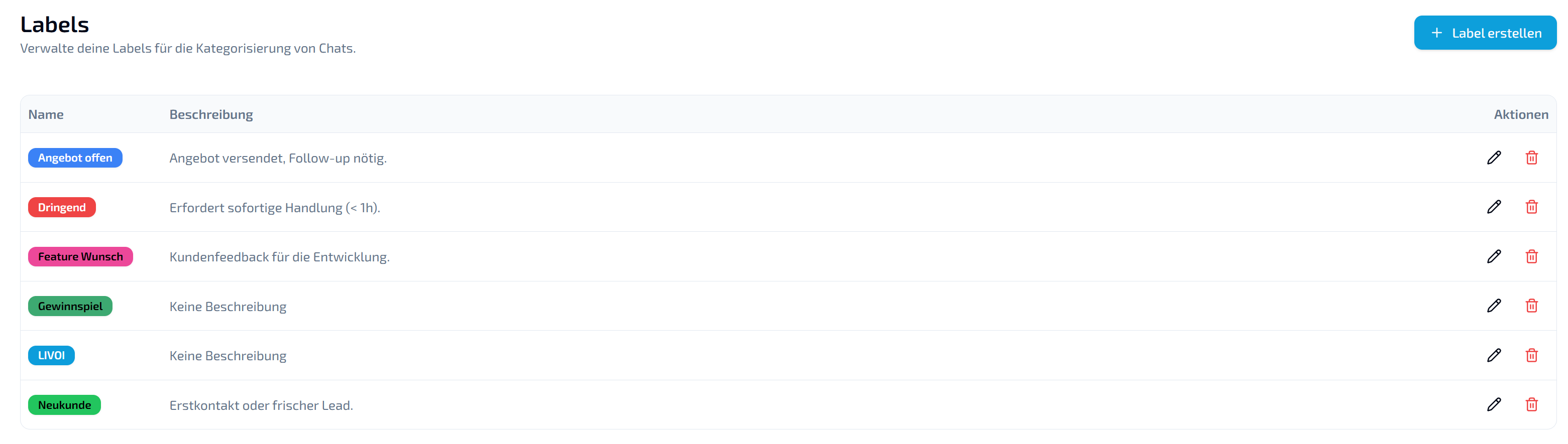
New label management supports organization-wide chat categories.
Full customization: create labels with names, titles, descriptions, and color codes to highlight topics.
Automatic classification: LIVOI checks labels every 5 messages and assigns matching labels, even if the chat already has others. The AI uses each label’s description to decide, so specify exactly when it should apply.
Flexible assignment: a chat can have multiple labels, and a label can apply to any number of chats.
Direct filtering: use labels in the inbox sidebar as quick entry points.
Faster workflows with right-click menus
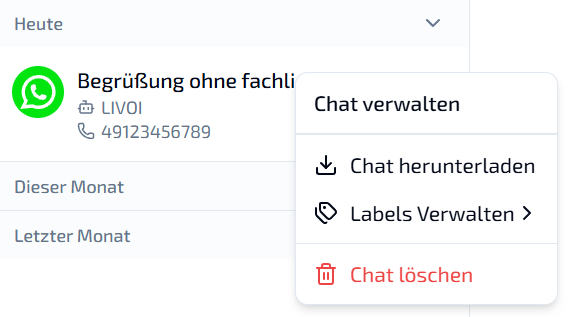
Actions previously requiring multiple clicks or a view change are now available through context menus.
In the inbox: right-click a chat to delete it, download its history, or assign labels.
In a chat: right-click while reading messages to access actions such as downloading the chat.
Integrations and system
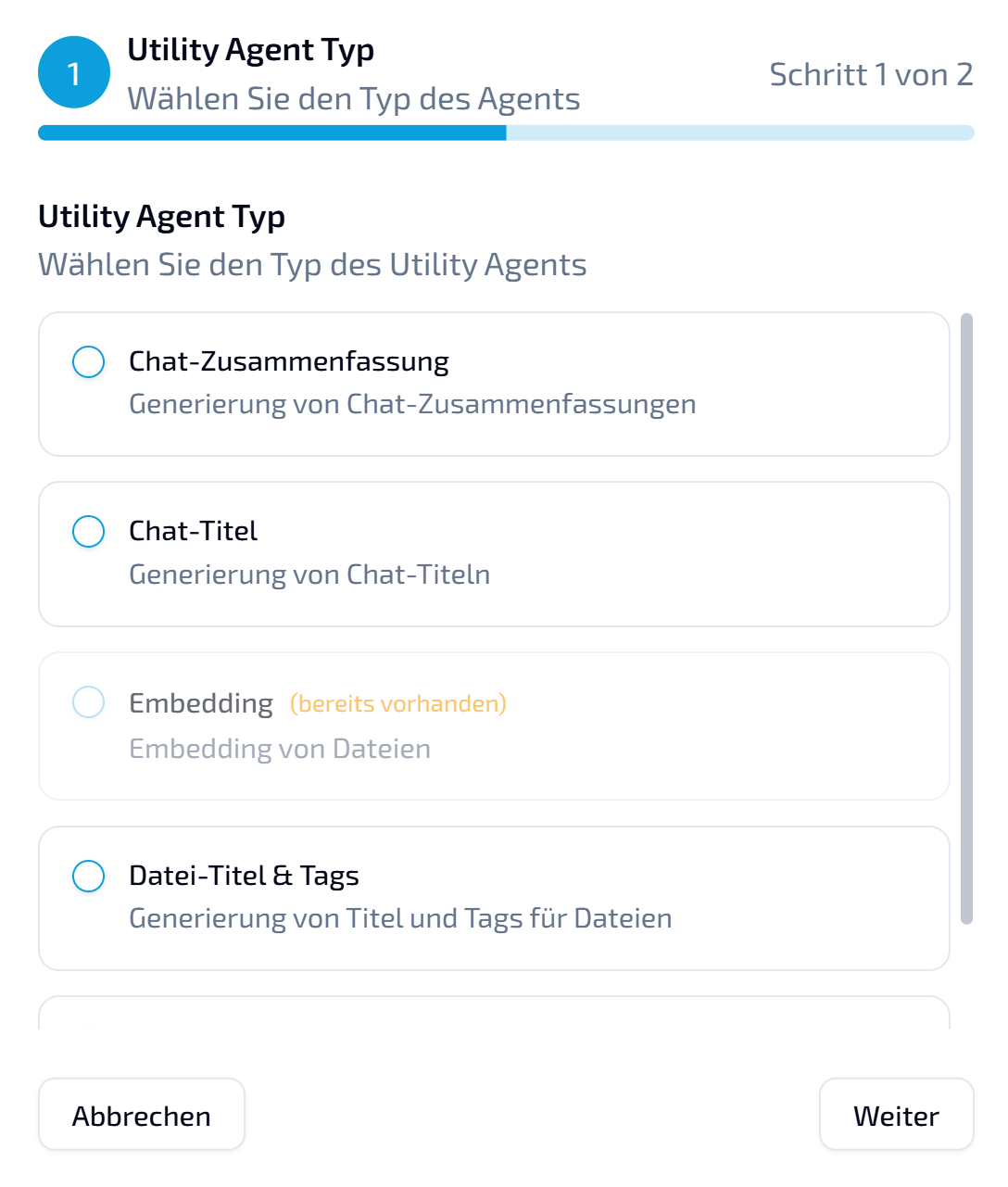
Utility agents: background specialists. Choose the appropriate LLM for each routine task instead of using an expensive model for everything. Create dedicated utility agents for:
Chat summaries: automatic conversation summaries.
Chat titles: intelligent conversation naming.
File management: automatic titles and tags for uploaded documents.
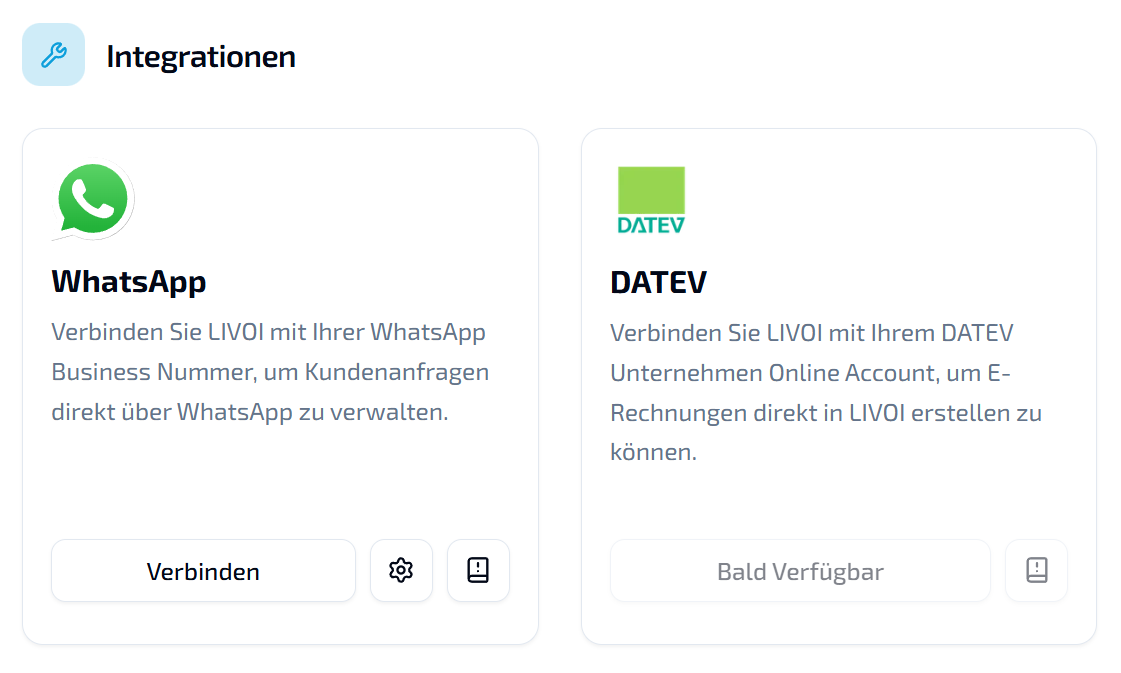
DATEV integration: preparing the connection. The foundation for automated accounting is in place. You will soon be able to connect LIVOI to DATEV Unternehmen Online. Future updates will introduce agent tools that use this connection, such as AI-assisted electronic invoice creation.
Administration and analysis
Dashboard analysis: a manual date picker lets you analyze precisely defined periods beyond fixed intervals.
Documented API keys: add comments when creating a key so its purpose is visible in settings.
LIVOI platform update
Expanded dashboard visualizations, more WhatsApp controls, and everyday improvements.
A better overview. More control. Less friction.
This update focuses on visible frontend improvements. New chart types make dashboard data clearer, WhatsApp management is more flexible, and smaller usability and performance improvements make everyday work smoother.
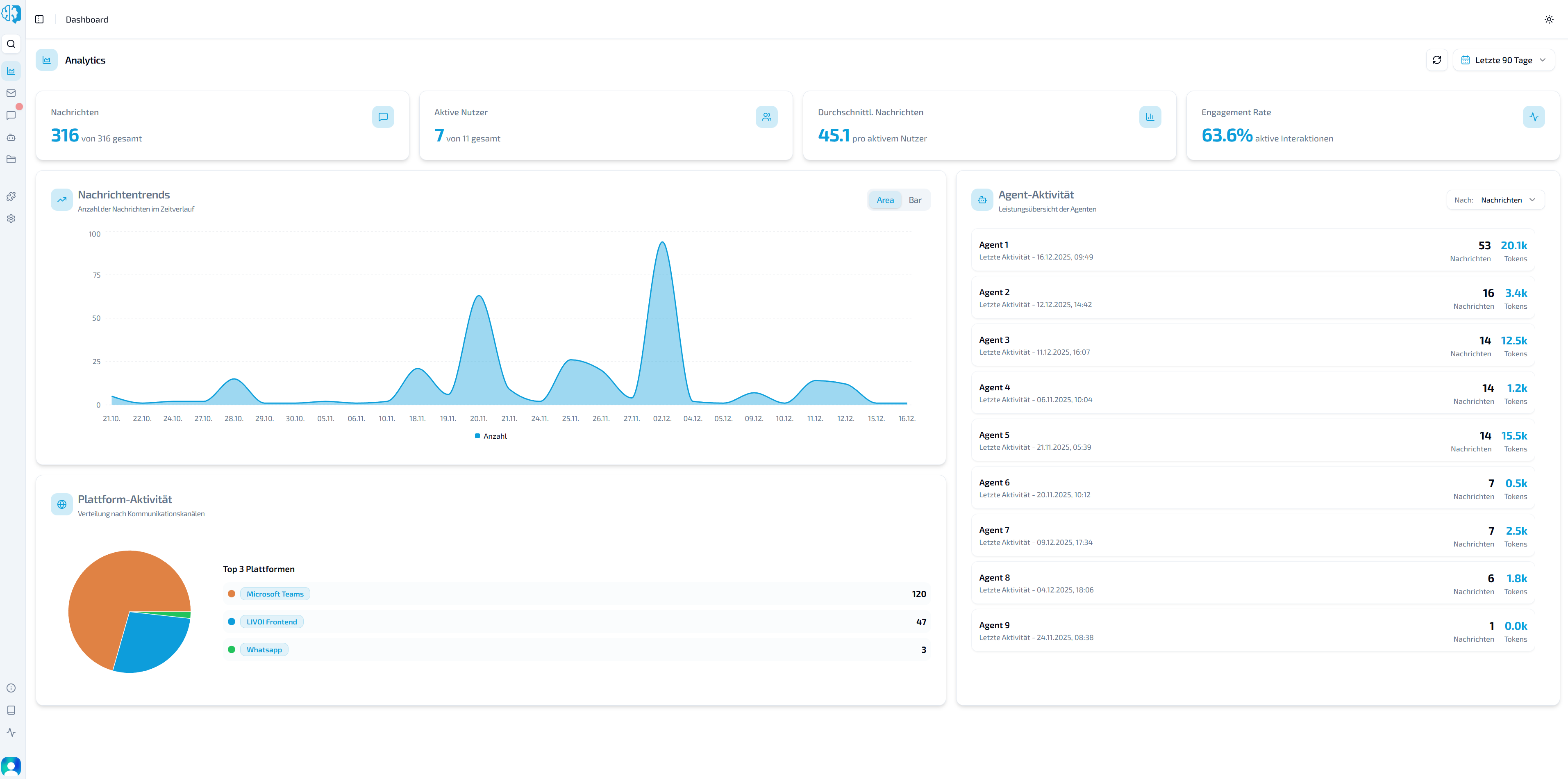
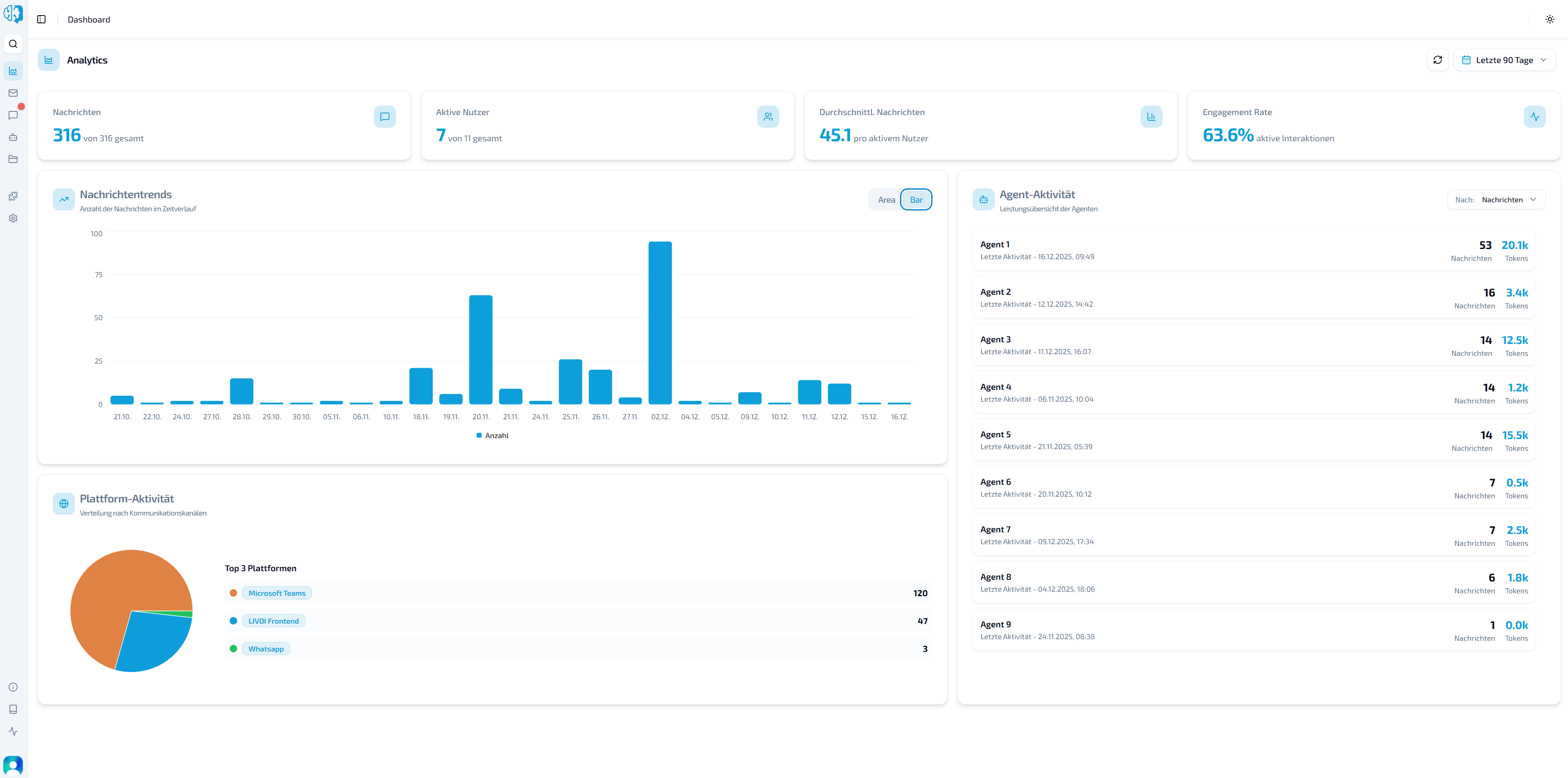
Dashboard: flexible trends and distributions. We have reworked visualizations to make KPIs easier to understand. Switch message trends between an area chart and a bar chart depending on your analysis. A new pie chart shows each communication channel’s percentage of platform activity, such as WhatsApp versus the frontend.
Re-register WhatsApp numbers. Re-register numbers directly in the frontend when technical or external issues have disrupted their connection.
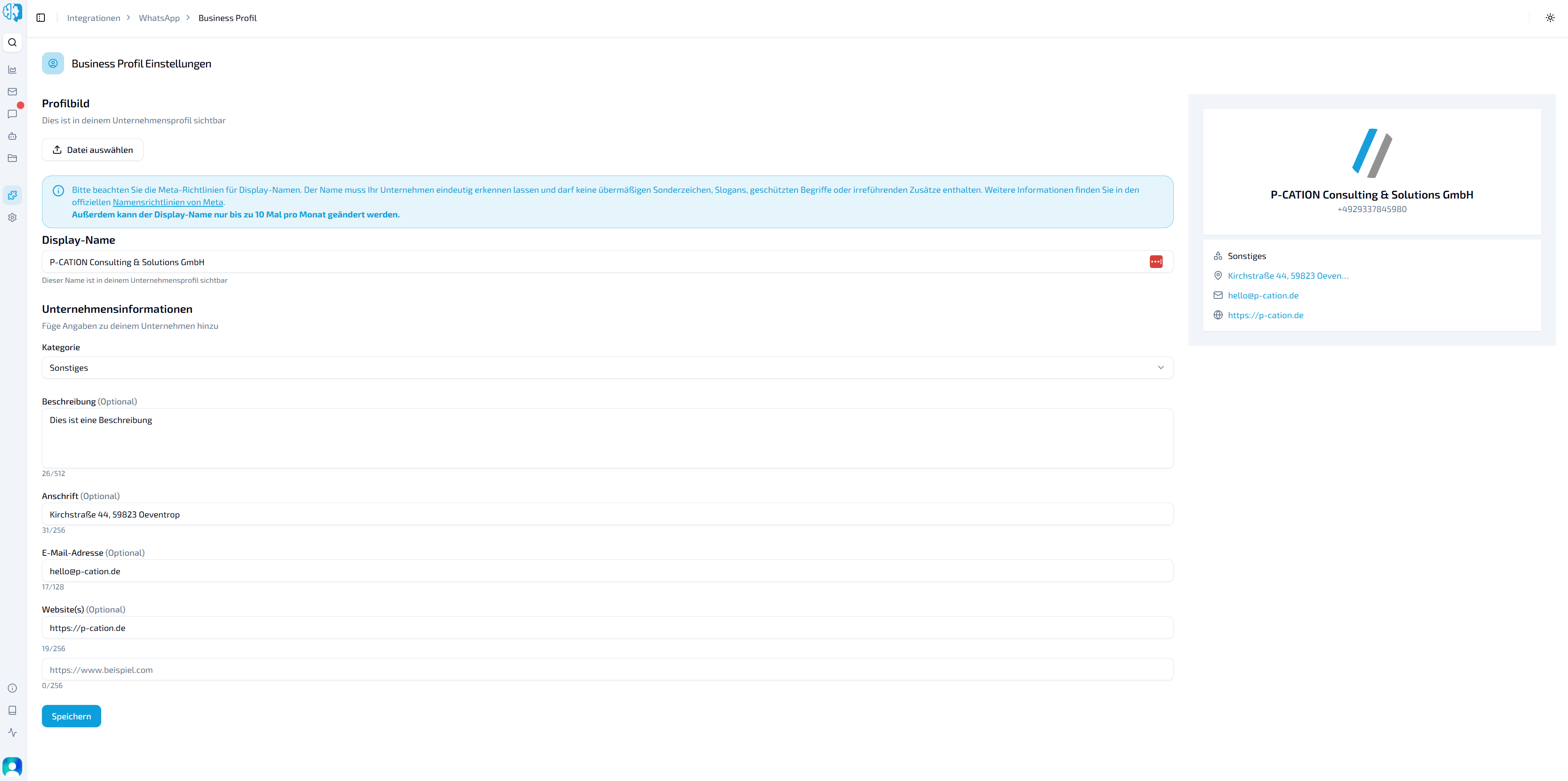
Edit the Meta Business profile in the frontend. Update the entire profile without opening the Meta Business portal.
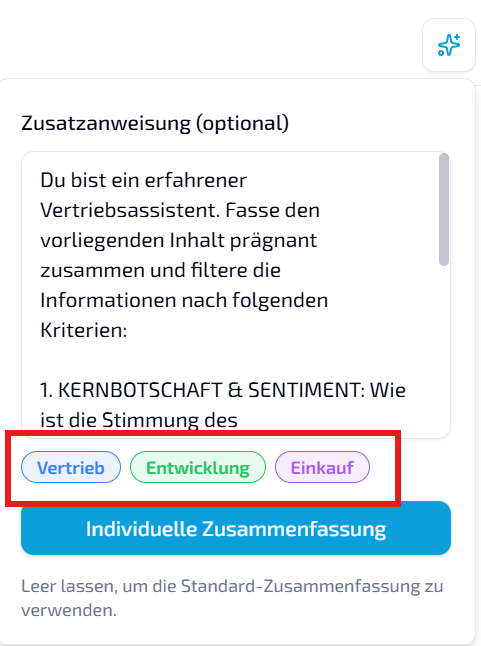
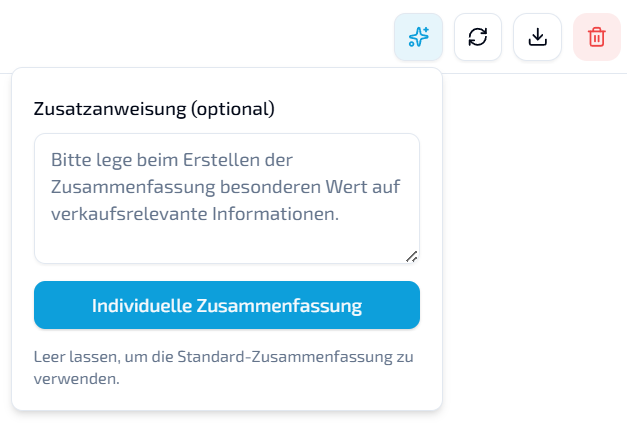
Predefined summary templates. Select additional instructions for sales, development, or purchasing with one click. AI instructions are filled in automatically, giving your summary the right perspective without typing.
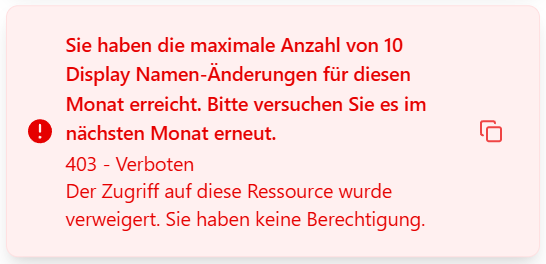
Usability improvements. Alongside a calmer interface, error notifications now include a copy button. Copy the technical error message and send it to P-CATION, giving support the context needed to solve issues faster.
Performance improvements. Improved pagination and optimized list views speed up the dashboard, especially with larger datasets.
Backend: new features
More stable agent and HTTP communication: a new internal HTTP client improves timeouts, pooling, and logging.
Improved WhatsApp integration: more robust profile handling, stable connections, and flexible upload and media flows.
Bug fixes and stability
Consistent error handling with clearer validation and API errors.
Fixed rare duplicate IDs in worker and RAG processes.
Stabilized agent caching, file handling, and database operations.
LIVOI platform update
More transparency, control, and precision.
More insight. More control. More possibilities.
This update introduces agent tool inspection and detailed agent configuration in expert mode. Interface improvements, a summary reliability fix, and smaller optimizations also make the dashboard more comfortable to use.
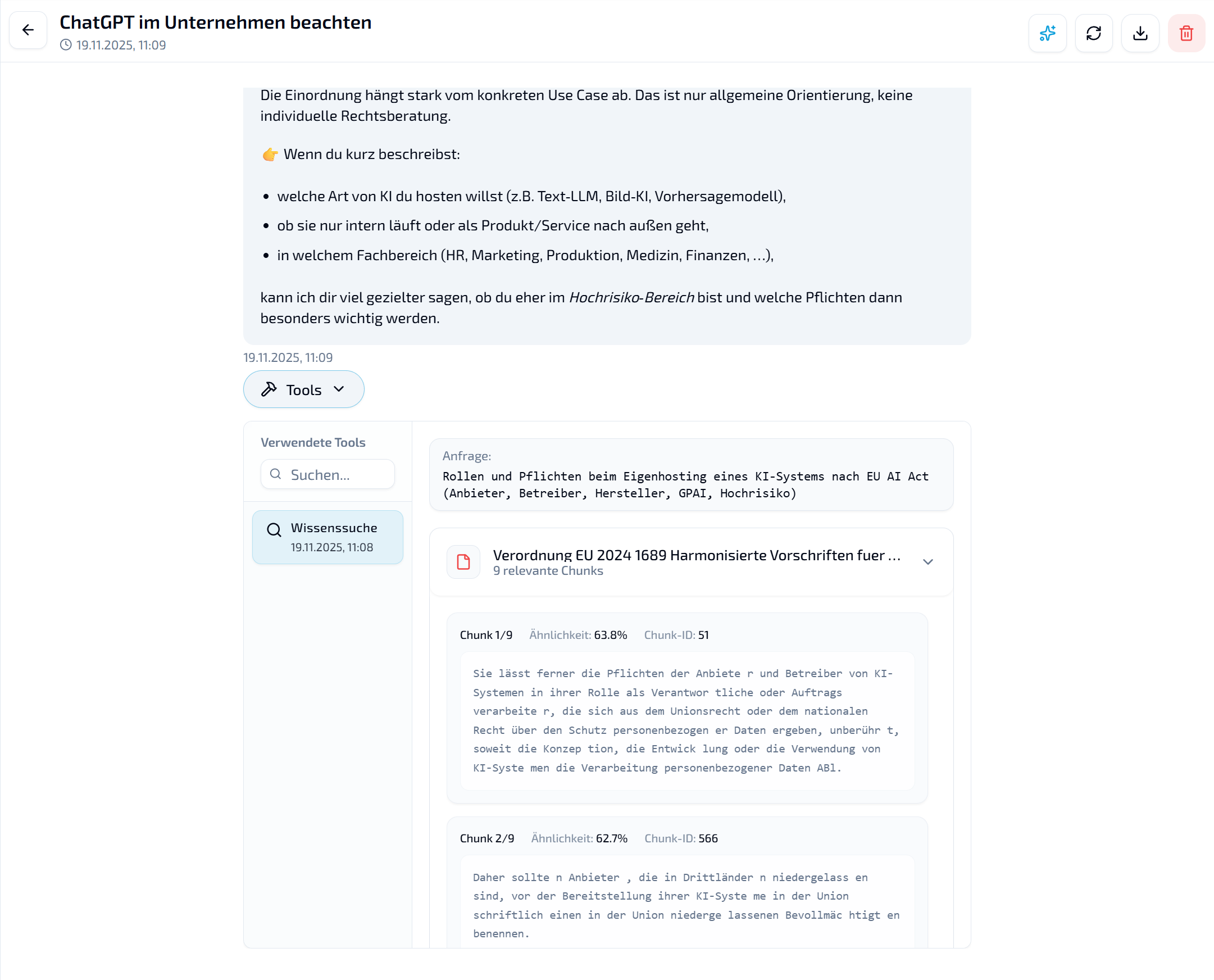
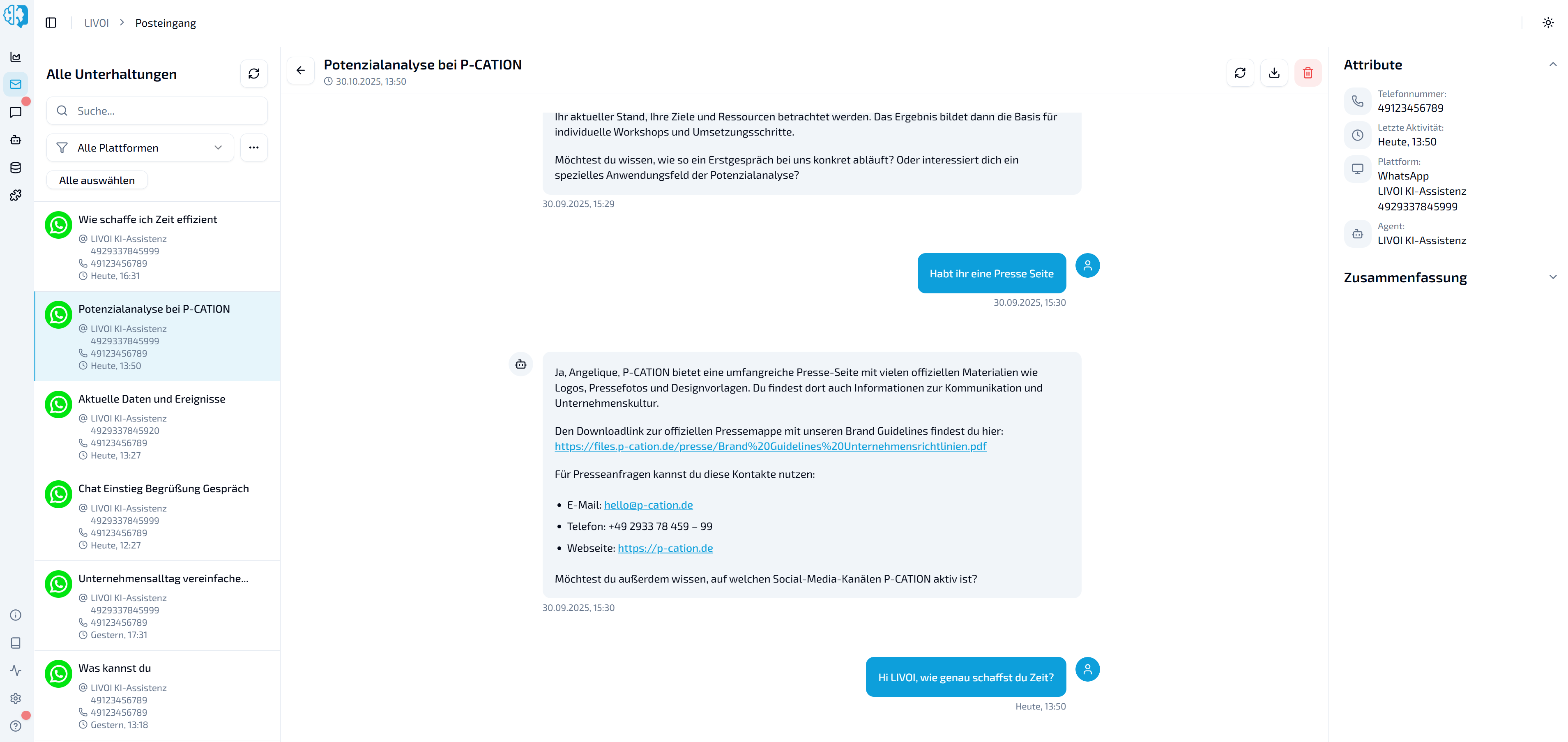
Inspect agent tools in the inbox and chat. Each agent response now shows which tools were used, including the parameters and steps performed. This makes agent behavior traceable and debugging easier.
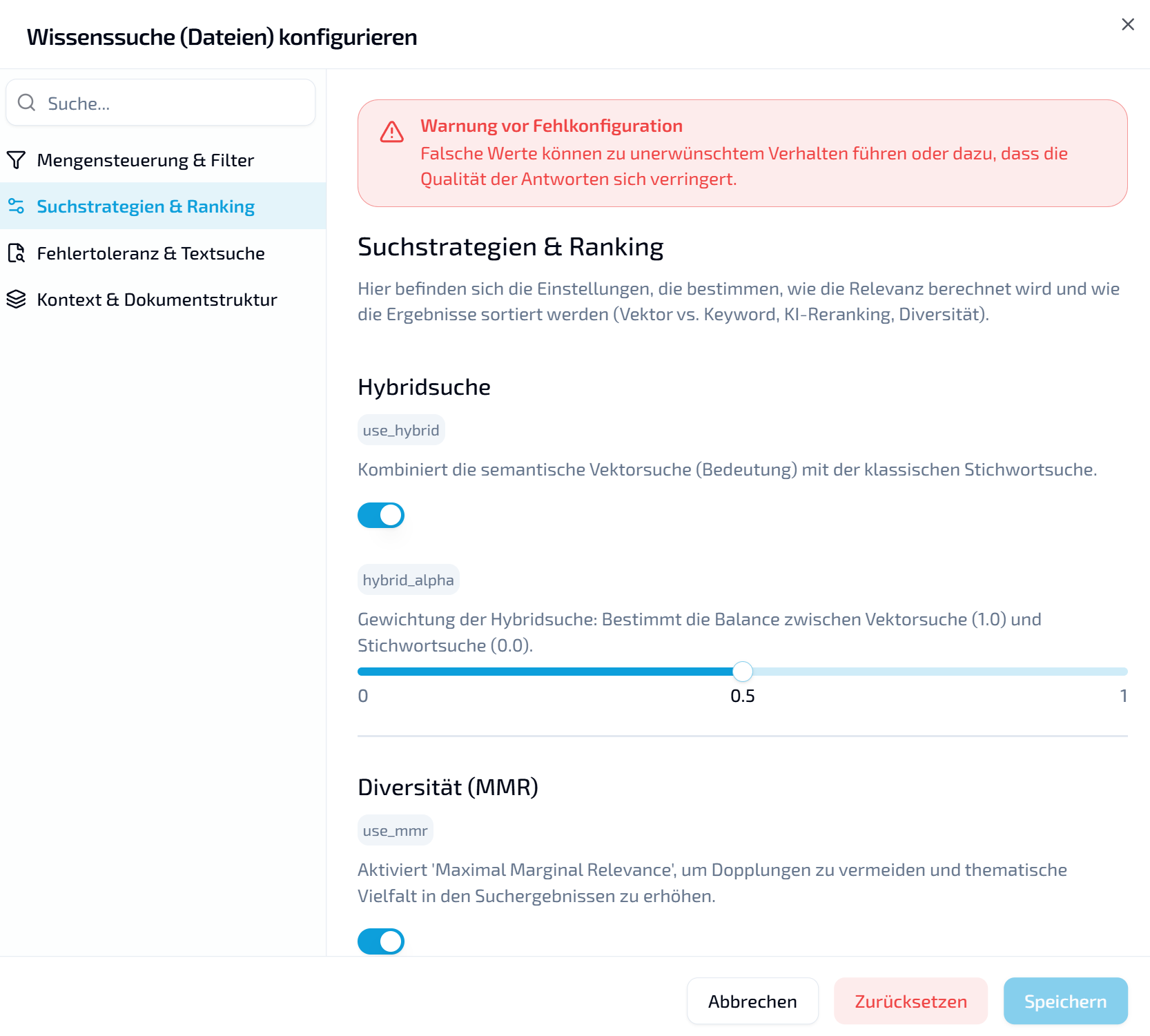
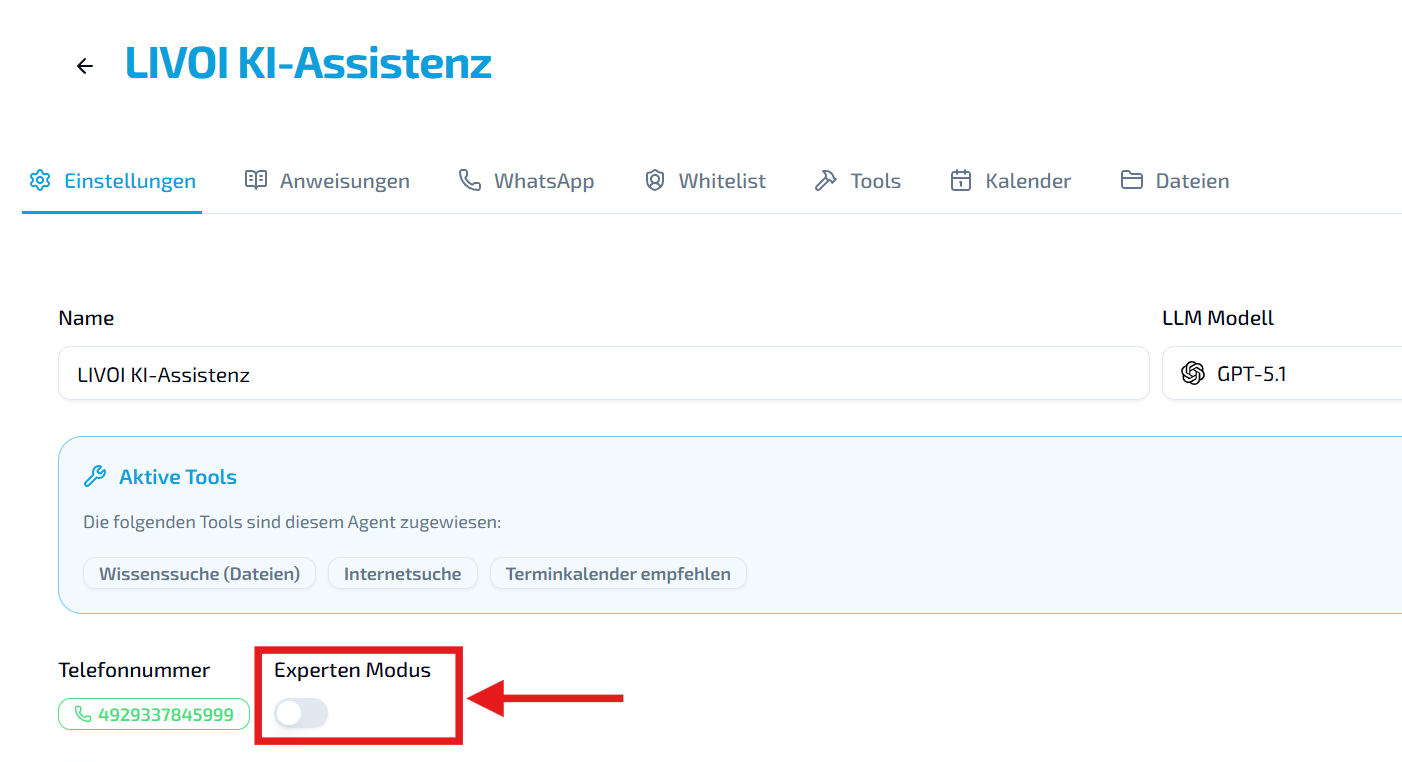
Agent configuration in expert mode. Configure each tool individually, from advanced knowledge search parameters to allowed domains for web search.
Example: knowledge search. Fine-tune ranking strategies, context windows, result limits, fuzzy matching, MMR settings, and more. Configure precise or exploratory search strategies to suit the use case.
How to enable expert mode: use the switch at the bottom of the agent detail view.
Domain controls for web search. Restrict searches to specified domains for precise, controlled, industry-specific results.
Interface improvements. Visual refinements make the dashboard clearer, calmer, and easier to read.
New features
Agent tool inspection: see exactly which tools an agent used.
Agent expert mode: configure each tool in detail.
Web search domain controls: define allowed domains for research.
Custom instructions for chat summaries. Add your own instructions when summarizing a conversation.
New sidebar. Modernized, organized, and easier to navigate.
Global search (Ctrl / Cmd + K). Find content, chats, and settings across the system.
Performance and interface refinements. Smoother workflows, more stable behavior, and visual improvements.
New features
Custom instructions for chat summaries.
Global search using Ctrl / Cmd + K.
Redesigned sidebar.
Improvements and fixes
Faster responses in several areas.
Various minor bugs fixed.
Small interface refinements.
LIVOI platform update — Autumn 2025
A new chapter for communication. Faster, clearer, and easier to use.
A new experience. A clearer focus. A faster LIVOI.
Experience the next generation of LIVOI with a clear design, intuitive controls, and improved performance. We have rethought the tools you use every day: inbox, chat, agents, and performance.
The new inbox. Clearer, more intuitive, and easier to navigate. Previously called “Messages,” it is now the center of your workflow, redesigned for clarity and speed.
Chat directly in the dashboard. Immediate, personal communication with your team or support, without switching tabs or interrupting your work.
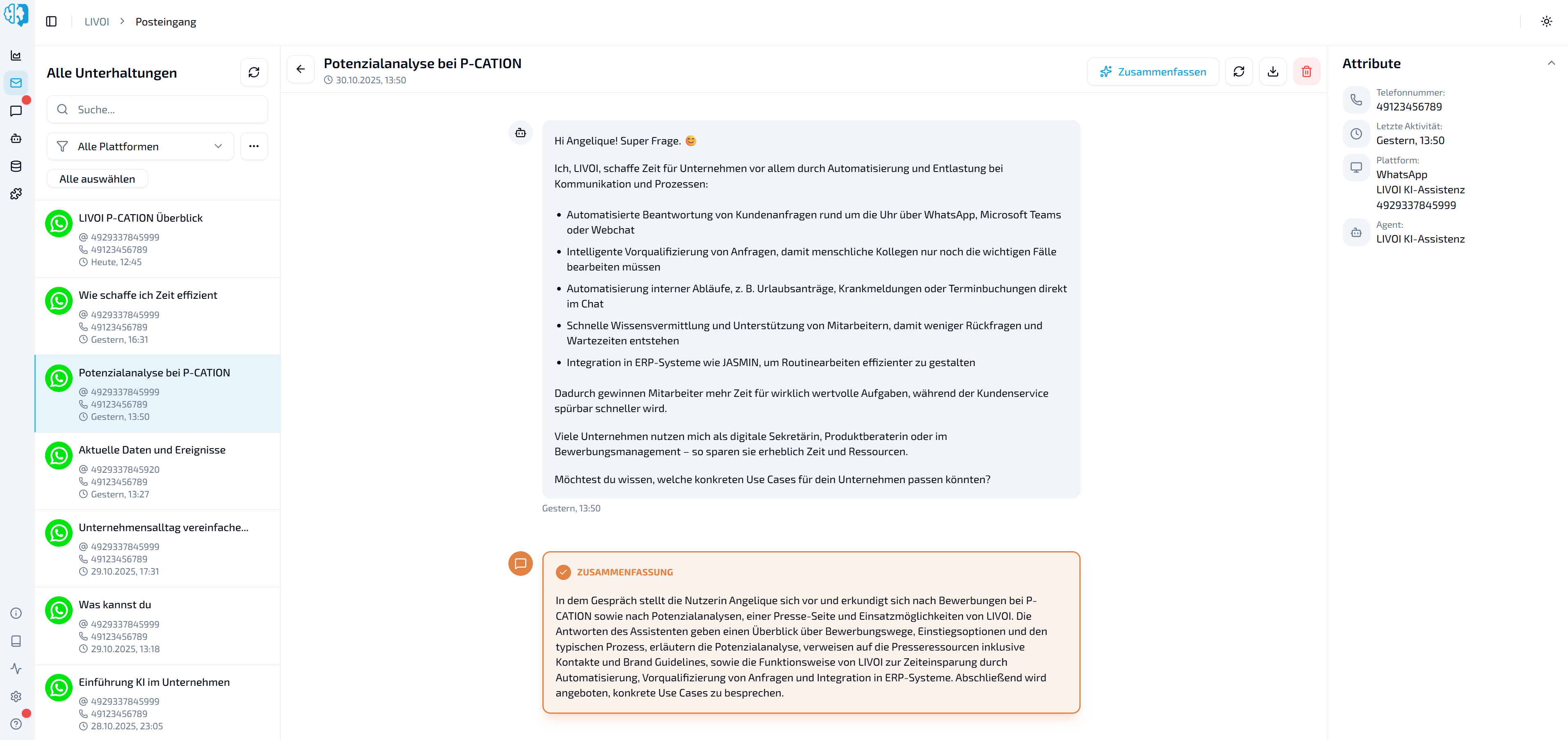
Chat summaries. LIVOI automatically summarizes conversations so you can understand them in seconds rather than minutes.
One click for all your data. Export your complete tenant data with a single button.
Your agent goes online. The new Web search tool lets your agent research current information on the web independently.
Background processing. A new task engine powers faster uploads and smoother processes.
Small changes with a big impact. Dozens of fixes, shorter loading times, and improved stability make everyday use smoother.
New features
Redesigned inbox: a fresh design for more focus and fewer clicks.
Dashboard chat: communicate directly where you work.
AI summaries: see a chat’s key information at a glance.
Tenant data export: easier access to your own data.
Agent web search: research the web and use current information in answers.
Technical improvements
Background task queue: a faster, more responsive system.
Optimized API structure: stable, consistent, and ready for future development.
Asynchronous file processing: parallel uploads for better performance.
Improved error handling: more precise, clearer, and more robust in daily operation.
Bug fixes and performance
Fixed errors in the message view.
More stable chat histories, including on weak connections.
Faster file uploads and shorter loading times.
Improved chat title generation.
General performance improvements for a smoother experience.